Mac and Windows · Free

From video to feedback

Video Analyst is the app for people who analyse matches. Tag actions while the video plays, draw on the frame, cut clips and send them to staff and players. Works offline too.

Which Mac do I have? Apple menu → About This Mac: "Apple M… chip" or "Intel processor".
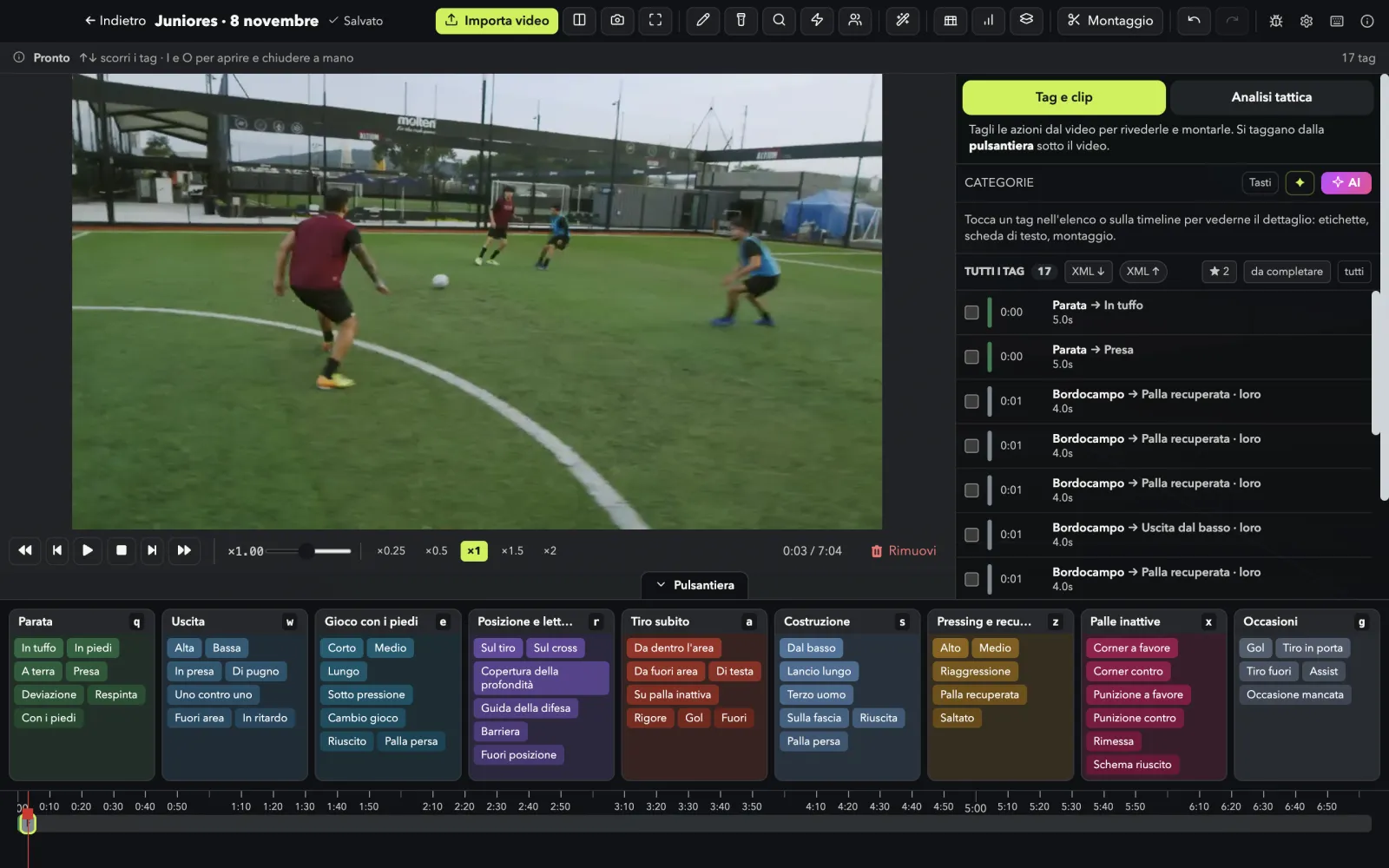
The Video Analyst editor with button board and timeline

What you do with Video Analyst

Tag with the button board
One key opens the action, the same key closes it. Ready-made categories by role, or your own.
Draw on the frame
Arrows, areas, a spotlight on the player, tracking that follows them.
Edit in three styles
Clips in sequence with titles, slow motion, text cards; vertical for phones too.
Tactical analysis
Events with game phase and details: they feed the stats and the matrix on the web.

One ecosystem

One match, four screens

Every action is logged once. From there it goes where it is needed: onto the video, into the stats, onto the player's phone.

  1. 1

    On the bench · Bordocampo

    Log it live

    On the tablet, during the match: who, what, where. One tap per event, even offline.
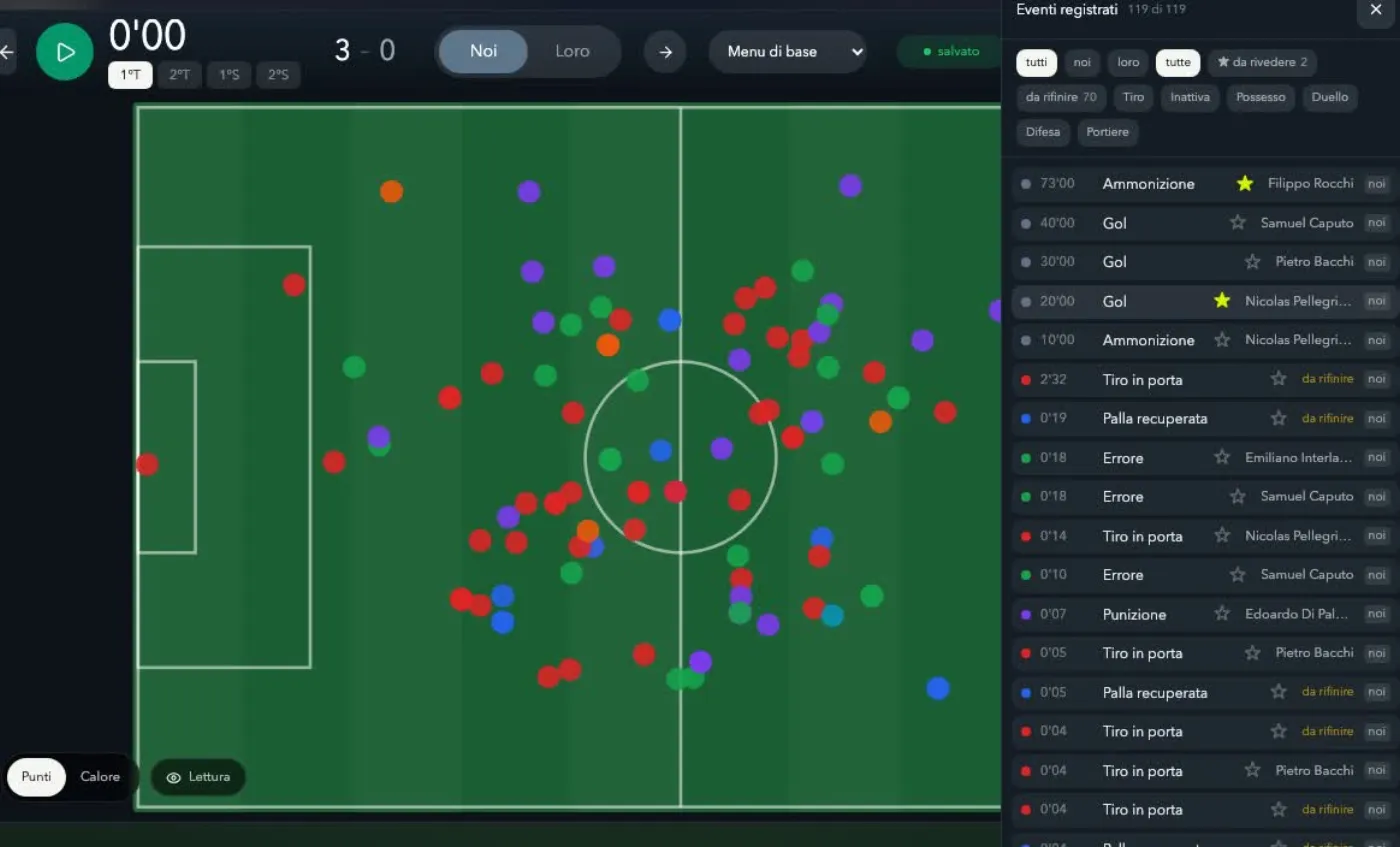
    On the bench · Bordocampo: Log it live
  2. 2

    At the computer · Video Analyst

    Events are already on the video

    Import the match video and the bench events are there, at the right second. Refine, draw, edit.

    At the computer · Video Analyst: Events are already on the video
  3. 3

    On the web · club platform

    They become numbers

    Matrix, stats and the goalkeeper dashboard update on their own. Every number opens its actions.
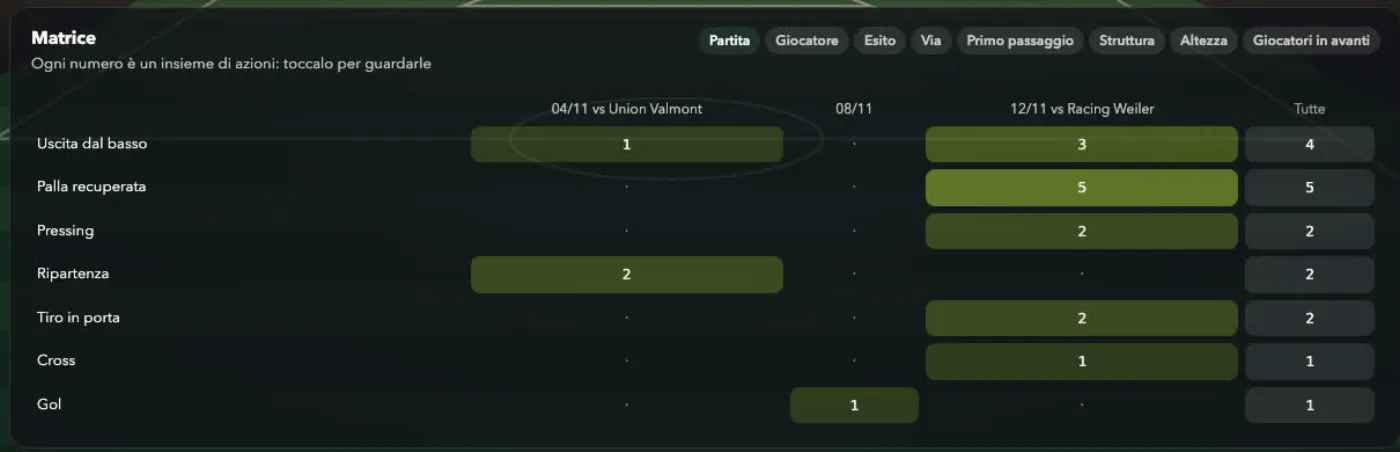
    On the web · club platform: They become numbers
  4. 4

    On the phone · app

    They reach the player

    The clip lands in the player's app with a notification and can be saved to watch offline. Minors need parental consent.
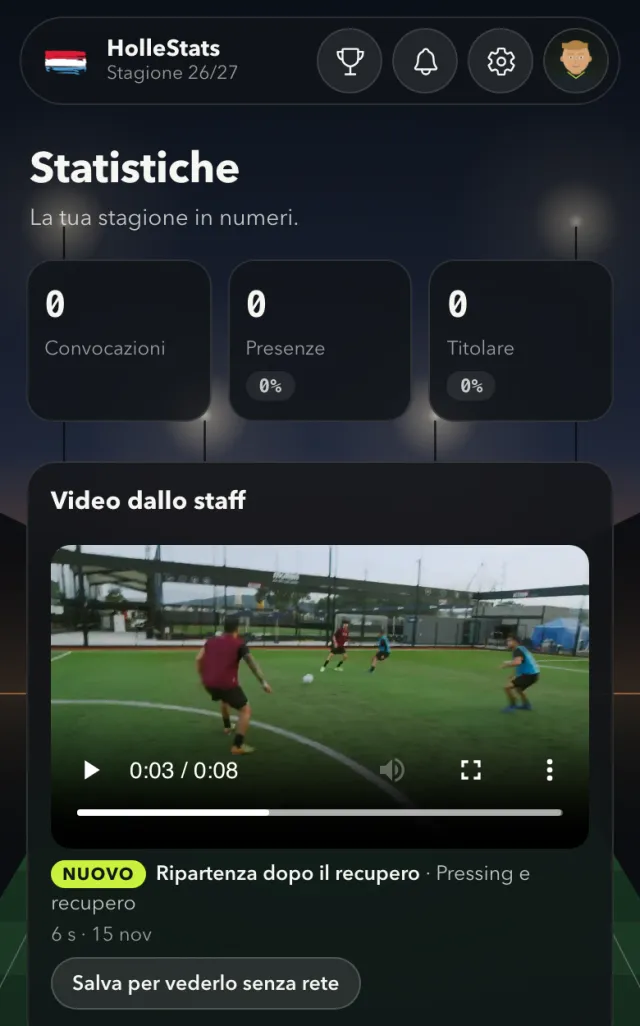
    On the phone · app: They reach the player

And also

Works offline
Tag away from home or at the pitch: everything syncs when the connection is back.
Talks to Sportscode
Import and export XML: work done elsewhere is not lost.
Video from Veo and AI cameras
Download the match, import it, and the app suggests the right match to link.
Not just goalkeepers
Templates for every role and for the team, or your own categories.

Installation

Mac. Open the .dmg and drag GK Video Analyst into Applications. On first launch, if macOS asks, right-click the app → Open.

Windows. Open the .exe and follow the steps. If Windows shows "Windows protected your PC", choose "More info" → "Run anyway".

You need a dropseet account (your club creates it). macOS 11 or later, Windows 10 or 11 64-bit, 8 GB RAM recommended.

Want to see it with your team?

The demo holds a month of work already done: sessions, attendance, load, matches and injuries. You’re in straight away, nothing to install.

Launch offer: the 2026/27 season is free

The next 5 clubs to join dropseet use it free for the whole 2026/27 season, staff and players included.

From the sixth club on: 14-day free trial, then €7.99 a month (early bird price).

Try the demo

Rather talk to us first?Request information