Software for multi-sport clubs and youth academies: how to organise the club
In a multi-sport club or a youth academy every team has its own coach, its own group chat and its own spreadsheet. Nobody notices while things go well. Then a player moves up from U15 to U16, the physio follows three teams and the sporting director asks “how is attendance going?”. Here is what a club management system has to hold together.
The problem: every team is an island
The staff’s work is the same in every team of the club: sessions, attendance, load, injuries, matches. But when everyone keeps it their own way, the same things happen every time:
- History is lost at the end of the season. The player changes team and the new coach starts from scratch.
- Whoever follows several teams works on several files. Fitness coach and physio copy the same data into different places.
- The management sees nothing unless it asks each coach, one by one.
- Pitches and gyms overlap because each team’s calendar lives on its own.
What a club management system has to hold together
- The club’s teams and seasons: the season is created once and every team works inside it, with its own squad and staff.
- Staff with different roles: coach, fitness coach, medical staff, match analyst, team manager. Each one should find their own work, not everyone’s.
- Players who move: call-ups from another team and moves at the end of the season, without duplicating the profile or losing the history.
- Shared facilities: pitches, gym and rooms linked to sessions, so everyone knows who trains where.
- An overview for the sporting director: alerts and upcoming sessions of all teams on one page.
Who sees what: roles by area
The simplest way to decide permissions is to think in areas, not in hierarchy. Each area edits its own work and reads the context it needs:
| Area | Edits | Reads |
|---|---|---|
| Coaching | Sessions, matches, drills | Everything else |
| Fitness | Sessions, physical tests, conditioning | Matches, injuries |
| Medical | Injuries | Sessions, load |
| Analysis | Matches, statistics | Sessions |
| Club management | Objectives, reports | All teams |
The role applies per team: someone who is head coach of the U15 and fitness coach of the first team sees different things depending on the team they open.
Players who move from one team to another
In youth academies it happens every week: one player trains with the older group, another moves up at the end of the season. The two situations need different handling:
- Call-up: the player stays with their team but also appears in the other team’s squad, with attendance and matches recorded where they happen.
- Promotion: the player moves to the new team for good. The profile is the same and last season’s history stays where it was.
If the data lives in separate files, both turn into copy and paste. And nobody adds up the load of a player who trains with two groups.
How you do it in dropseet
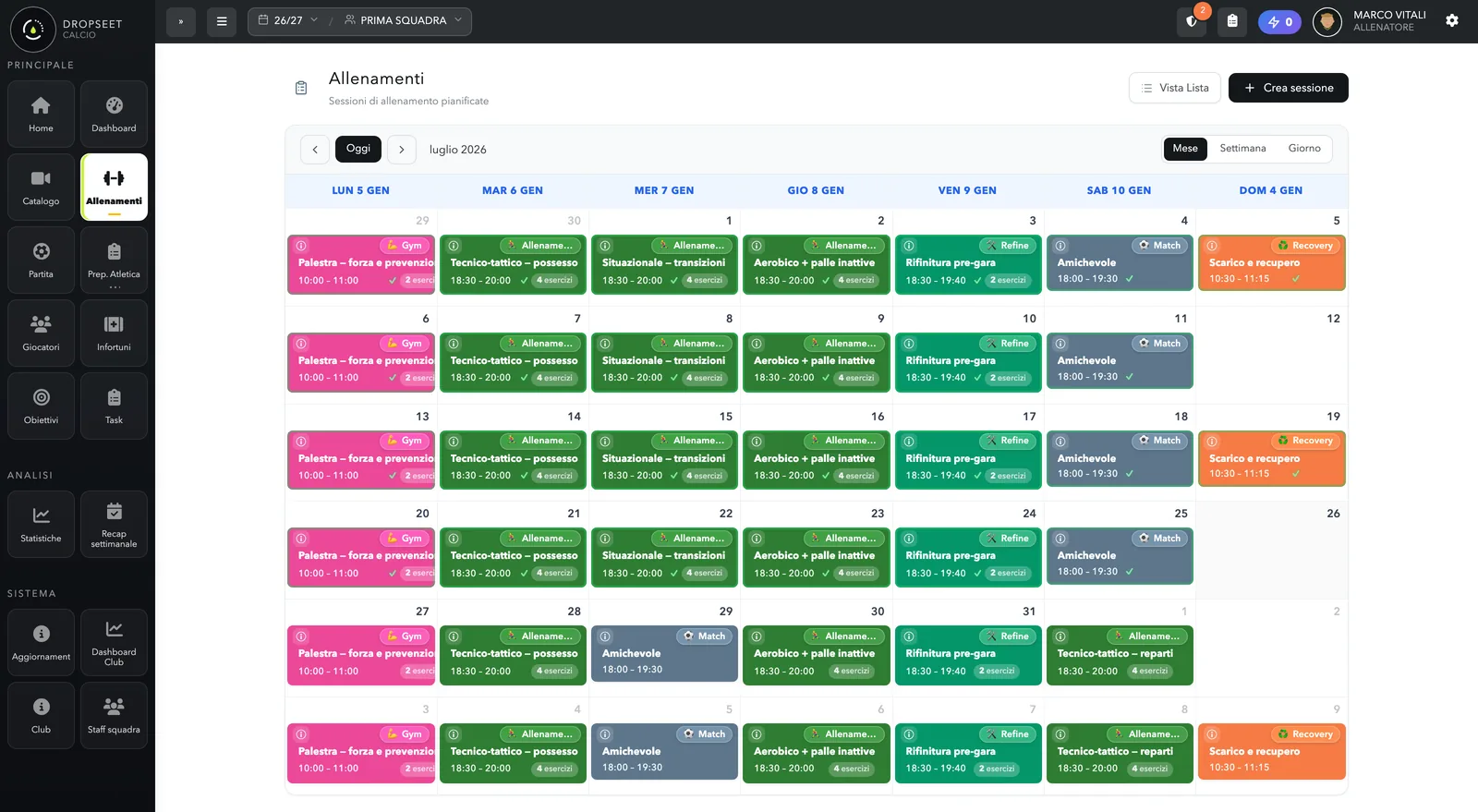
dropseet is built for football and futsal. Attendance, RPE load, wellness and injuries work the same way for any team; the drill library and matches are designed for football. Managing several teams in the same club is enabled on request: the club creates its seasons and teams, invites the staff with their role and switches team from the selector at the top. The sporting director has a club dashboard with alerts and upcoming sessions of all teams. Players can be called up from another team or promoted without losing their history. Pitches, gym and rooms are entered once and picked when creating a session.
Frequently asked questions
Does it work for sports other than football?
Attendance, load, wellness and injuries do, because they don’t depend on the sport. Drills and matches are currently designed for football and futsal: if your club has other sections, write to us and let’s talk.
Can I start with a single team?
Yes. You start with one team and enable club management when the others are needed: the first team’s data and history stay where they are.
Can the sporting director edit the teams’ data?
The sporting director observes: they see all teams and the club dashboard, while sessions, matches and injuries are edited by each team’s staff.
Who manages users and teams?
The club administrator: they create seasons and teams and invite the staff. Everyone receives an email invitation and joins with the role they were given.